
Throw A Friend For Animals Players, Controls & Co-op
Master inputs, share 5-player servers fairly, and throw together without drama.
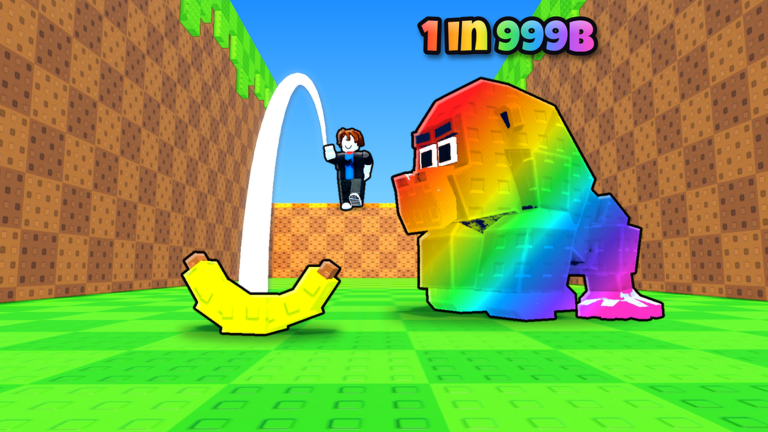
The Players Hub covers how humans actually play Throw A Friend For Animals— ontrols on PC and mobile, server limits, co-op habits, and etiquette around pens and training bars. The experience is a five-player Roblox sim from Goofy Chupacabra (listing title Throw Food For Animals). There are no VIP servers, so good manners matter as much as Throw Power.
If you need systems help, jump to Getting Started, Throw Power, or the Guides Hub. This page stays focused on the player experience inside each server.
Server rules of thumb
| Fact | Detail |
|---|---|
| Players per server | 5 |
| VIP servers | None |
| Core loop | Throw food →collect animals →pen for $/s →upgrade |
| Free claim | Shop basket CLAIM (see Codes — no promo codes) |
| Paid passes | x2 Cash R$99 · x2 Training Power R$149 |
Because lobbies stay small, one player camping every pull-up bar or dumping scripted food into a contested lane is obvious. Play like you will see the same four strangers again after a reconnect.
PC controls
Exact keybinds can vary slightly with Roblox shift-lock and mobile emulators, but the desktop flow is consistent:
- Move with WASD and camera with mouse.
- Equip food from your hotbar / inventory.
- Hold the throw input to charge the 0–20 meter.
- Release near 20 for a perfect toss (~+20 power on that throw).
- Walk into attracted animals to collect, then place them in pens.
- Interact with pull-up bars to train Throw Power between farming sessions.
- Open Shop for food tiers and the free basket CLAIM.
Practice the meter in Forest before you worry about Nuclear Wasteland. A clean perfect throw beats spam clicking weak releases. The Throw Power guide expands on training efficiency; the Best Food guide explains when to swap bait mid-session.
Mobile controls
On touch devices:
- Use the dynamic joystick to position your character on the throw line.
- Tap and hold the throw button to charge the same 0–20 meter.
- Lift near the top of the meter for perfect bonus power.
- Tap animals to collect when they arrive; drag/confirm into pens via the placement UI.
- Pin Shop and training interactions carefully— at-finger misses waste charged throws.
Mobile players should stand slightly off crowded paths so joystick drift does not walk you into someone else’s placement flow. If charge UI feels cramped, rotate the camera so the meter stays readable against the skybox.
Co-op tips that raise everyone’s $/s
Throw A Friend For Animals is not a private tycoon. Shared lanes mean coordinated throwing can fill pens faster— r create chaos.
- Call targets loosely: — ushing Ocean— or — raining bars— in chat helps strangers space out.
- Stagger food rarity. If two players spam the same weak bait, animals dilute. Let one player test a higher food tier while another covers volume.
- Share knowledge, not accounts. Teach perfect-throw timing instead of trading logins.
- Celebrate mutations without blocking. When someone lands Emerald, Ruby, or Rainbow, give them a second to secure the pen before you stand on the pad.
- After update drops (Thanksgiving / Starfall, Winter Is Coming), expect crowded Nuclear Wasteland and Starfall Heights lines— otate to quieter mid biomes if the lane is packed.
Etiquette checklist
Do
- Leave pull-up bars free when you finish a training set.
- Avoid standing inside another player’s pen placement UI.
- Keep auto tools respectful if you use anything from the Scripts Hub (ban risk applies).
- Help new players find Shop CLAIM and early Forest food instead of mocking low throws.
**Don— **
- Trap players with builds or spam emotes on the throw pad.
- Steal narrative credit for animals someone else clearly baited in a tight lane— e generous in five-person servers.
- Advertise fake codes; there are no active codes as of November 2026.
- Shame free-to-play players who skip the R$99 / R$149 passes.
Progression roles in a party of friends
Even without VIP servers, a duo or trio can specialize:
| Role | Focus | Linked guide |
|---|---|---|
| Trainer | Pull-up bars, perfect throws | Throw Power |
| Shopper | Food tier climbing toward Uranium Cake | Best Food |
| Scout | Zone checklist & animal IDs | Zones & Animals |
| Banker | Pen quality & mutation locks | Mutations, Tier List |
Switch roles after each zone unlock so everyone learns the full loop. New friends should still complete Getting Started solo basics before relying on carries.
Accessibility & comfort
- Lower camera shake if long throw sessions cause fatigue.
- Take breaks during AFK-style farming; five-player servers still benefit from attentive placement.
- Use headphones lightly— udio cues for collects help, but chat callouts matter more in noisy lobbies.
Related hubs
- Codes Hub — free Shop basket, no promo codes
- Scripts Hub — automation with warnings
- Updates Hub — when controls or zones change
- Wiki overview — official experience link and site map
Master inputs, respect the five-player limit, and treat every lobby as a short co-op session. That mindset pairs with strong pens and clean throws better than any single gamepass in Throw A Friend For Animals.
Frequently Asked Questions
Quick answers to the most common questions.
How many players are in a Throw A Friend For Animals server?
Each server holds five players. There are no VIP servers, so you always share the world with up to four others.
How do perfect throws work on PC and mobile?
Charge the throw meter from 0 to 20 and release near 20 for roughly +20 power on that toss. The same meter logic applies on both platforms.
Where do I train Throw Power?
Use the in-world pull-up bars between farming sessions. The optional x2 Training Power pass (R$149) speeds gains but is not required.
Any co-op etiquette tips?
Do not camp training bars, avoid blocking pen placement, skip fake code spam, and give players space when they secure rare mutations.
Should beginners buy gamepasses immediately?
No. Claim the Shop basket free item, learn perfect throws, and unlock a few zones first. Add x2 Cash or x2 Training Power later if you want faster grinding.